|
****JavaScript
based drop down DHTML menu generated by NavStudio.
(OpenCube Inc. - http://www.opencube.com)****

|
|
|
-
Locate Service Calls Easily
- Organize
Calls Geographically
- Optimize
Technician Routes
- Point-to-Point
Driving Directions
|
Customer
Testimonials |
| “Our
technicians used to spend
countless hours driving all
over town. Now with MapPoint
and ESC, we have them spending
their time working on jobs,
not driving around.”
Tony, CA |
|
|
Features
for Mapping
-
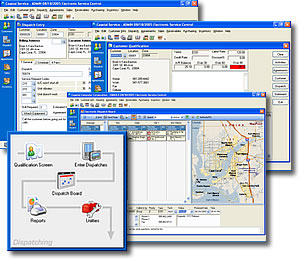
 Organize
Service Calls
– Electronic Service Control allows
users to see a graphical map view right
from the dispatch board. Quickly drag and
drop calls to reorganize a technician's
route. Organize
Service Calls
– Electronic Service Control allows
users to see a graphical map view right
from the dispatch board. Quickly drag and
drop calls to reorganize a technician's
route.
- Plot
Route
– Simply select a technician and choose
Plot Route. MapPoint's powerful and accurate
mapping engine will generate a printable map
you can give to the technician.
- Driving
Directions
– Once a route has been mapped you can
get point-to-point driving directions for
all the calls in the route. These can be sent
to the technicians via email, alpha-numeric
paging or our mobile computing solution.
- Accurate
Information
– Microsoft has spent much time and
money in getting the most accurate mapping
data available. We have found this to be the
most reliable mapping solution on the market.
For more information click
here.
|
|